
Imazh Skywall
Standardized before-and-after imaging with your smartphone. A wall-mounted rotating arm and dedicated iOS and Android app keep your clinic floor clear.
Request information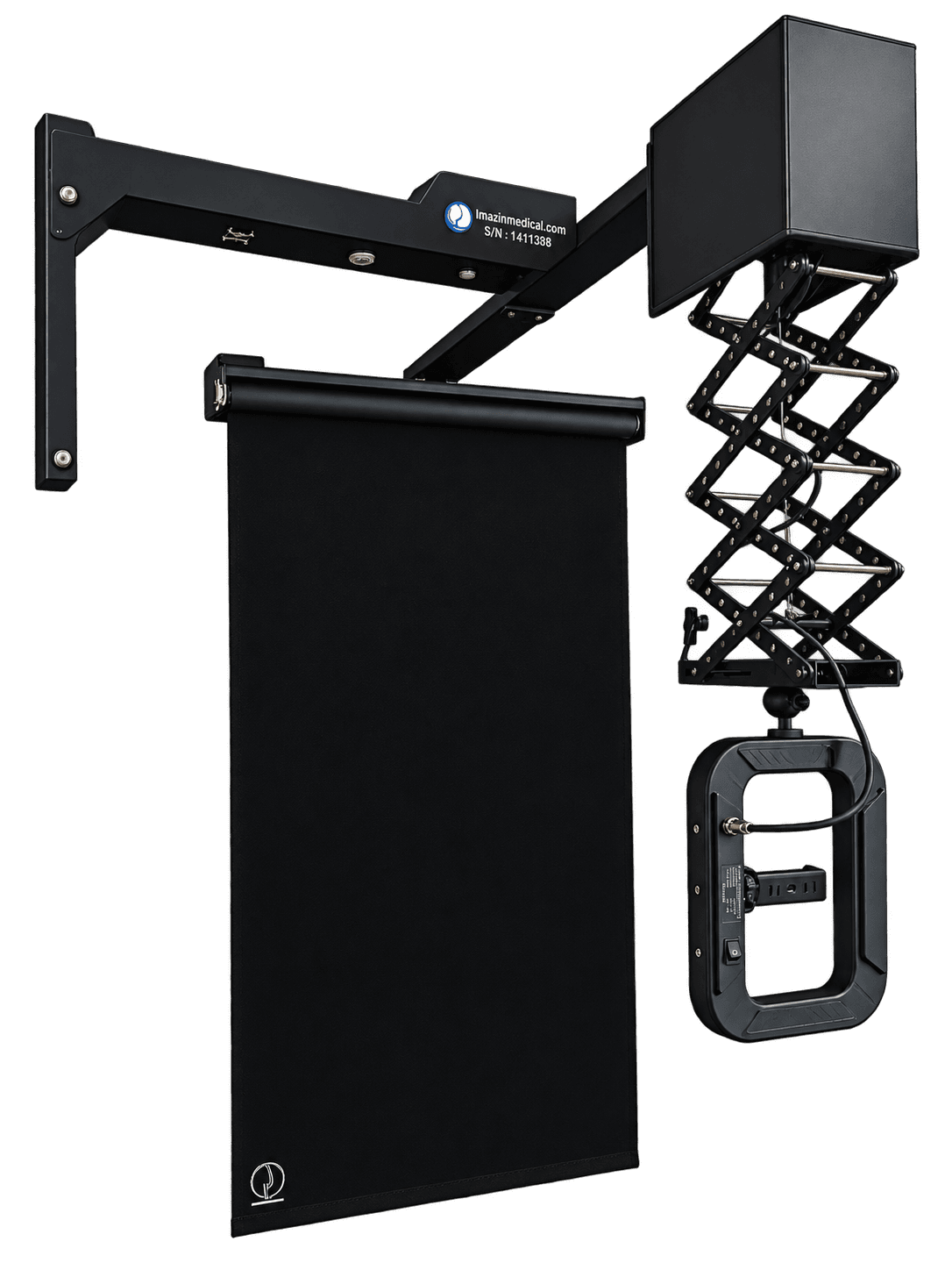
Clinical imaging with more room to work
Skywall is the next generation of Imazh imaging systems, developed from experience with Prime and clinics’ need for lighter equipment. Its wall mount and mechanical arm remove the need for a floor stand, while your smartphone captures repeatable before-and-after images with controlled lighting, angles and framing.
Consistent angles and lighting
A rotating arm and precise settings help reproduce imaging conditions across sessions and reduce human error.
Your phone is the camera
The dedicated iOS and Android app uses your smartphone camera, without a separate camera purchase.
AI-assisted analysis
Process and compare images quantitatively using facial aesthetic ratios to review treatment results.
A clear clinic floor
Wall mounting removes the floor tripod and keeps valuable clinic floor space available.
Phone, light and backdrop in one system
The wall-mounted structure provides 180-degree rotation. A pantograph arm adjusts the phone lens height to the patient, and a dedicated mount holds the phone at the correct angle. Power the device through a grounded outlet and a surge protector rated for at least 5 A.
Smartphone camera
A dedicated mount securely holds different smartphones. The app connects to the device over Wi-Fi to control arm movement and capture angles.
CRI98 ring light
Even, shadow-free LED illumination renders skin tones naturally and offers adjustable color temperature. Power and lighting adjustments use the buttons on the ring.
Lightweight, non-reflective backdrop
The backdrop hangs from the shorter arm and is designed around the lens focal length to provide a uniform background in a compact space.
Height and patient positioning
The pantograph adjusts lens height, a laser marker on the floor identifies the patient position, and app guides help align the frame.
From comparison photos to continuous video
- Five-angle capture
- Capture at 0, 45, 90, 135 and 180 degrees for before-and-after comparison.
- Additional front views
- Five standard angles plus two additional front views for cases such as rhinoplasty.
- Continuous video and manual capture
- Silent video from right to left profile; the 180+90-degree mode returns to the front for a six-second hold. Manual mode supports photos and video with sound at chosen angles.
From mobile capture to the clinic archive
Patient archive
Access patient records and treatment history, search and filter patients, and manage stored photos and videos.
- Choose a new or existing patient and record the service before capture
- Transfer images and records to the desktop app for archiving and processing
Analysis and image settings
Process and compare images with analytical tools and precise capture settings.
- Calculate facial aesthetic ratios with AI assistance
- Publish images and save them to the gallery
- Adjust color, lighting, photo quality and file size manually or automatically
- Set framing, zoom, recording delay and maximum video duration
Performance reports
View and export activity statistics by day, month, year and service type to assess clinic productivity.
Local storage and backups
Photos and videos retain their original quality on the phone, with the clinic in control of its data. Wi-Fi provides the control connection to the device.
- Automatic backups and local ZIP export for computer transfer; a separate monthly backup copy is recommended.
Designed for your clinic
Approximate space required for 180-degree arm rotation
Minimum computer configuration for the desktop app
- Processor
- Modern Intel Core i5 or better
- Graphics
- 4K support
- Memory
- 16 GB or more
- Storage
- 512 GB SSD or more
- Operating system
- Windows 10 or later